

In-Flight Connectivity and Entertainment
Cinema, series, music or flight information: a varied selection to enrich every moment of your journey, on all our routes
41 aircraft of the Royal Air Maroc fleet will be progressively equipped with high-speed Starlink Wi-Fi, offered free of charge to all members of the Safar Flyer loyalty program.
What is Starlink?
Starlink is the satellite internet constellation developed by SpaceX: thousands of satellites positioned in low Earth orbit guarantee high speeds and responsiveness on board comparable to your home connection.
Key takeaway: Available starting early 2027.
41 aircraft of the Royal Air Maroc fleet will be progressively equipped with high-speed Starlink Wi-Fi, offered free of charge to all members of the Safar Flyer loyalty program.
What is Starlink?
Starlink is the satellite internet constellation developed by SpaceX: thousands of satellites positioned in low Earth orbit guarantee high speeds and responsiveness on board comparable to your home connection.
Key takeaway: Available starting early 2027.
Two Services, One Promise: Quality In-Flight Wi-Fi, Offered to Safar Flyer Members
RAM Connect AVAILABLE
Currently deployed on our Boeing 737 MAX aircraft thanks to Viasat technology, the RAM Connect service allows you to stay connected mid-flight.
In-flight services included:
✓ Messaging: Free (WhatsApp, Messenger, iMessage) for Safar Flyer members.
✓ Web Browsing: Free for Business Class passengers.
✓ À la carte passes: Paid options available on board for non-members (video streaming not included).
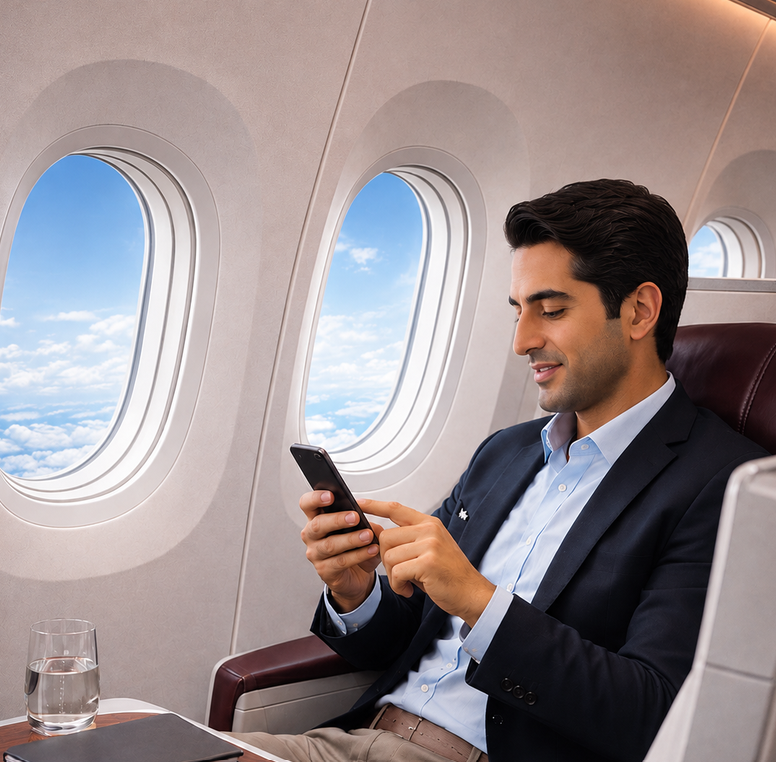
Starlink Wi-Fi NEW
Progressively deployed from 2027 across a fleet of 41 aircraft (Boeing 737 MAX and 787) thanks to Starlink technology, this service is exclusively reserved for Safar Flyer program members.
In-flight services included:
✓ Unlimited Connection: Unlimited messaging and web browsing.
✓ High-Speed: Access to video streaming, live content, and video conferencing.
✓ Non-members: Service not available (Safar Flyer membership is free).
What to expect by the end of the rollout program?
Between 2027 and the completion of the equipment rollout program, our fleet is being progressively modernized. Depending on the aircraft operating your flight, you will either benefit from RAM Connect (on Boeing 737 MAX), Starlink Wi-Fi (on aircraft already equipped), or the service may not yet be available on aircraft undergoing retrofit.
A golden rule: A simple Safar Flyer account is all you need to enjoy the free service, whichever aircraft you are on.
Key steps for your journey
✓ At booking: Wi-Fi is not guaranteed: aircraft type may be modified until departure.
✓ On board: Look for the available RAM Wi-Fi network. Its presence indicates that the aircraft is equipped.
✓ On the portal: Log in with your Safar Flyer number or booking code: the portal will show you the offer available on this flight.
What to expect by the end of the rollout program?
Between 2027 and the completion of the equipment rollout program, our fleet is being progressively modernized. Depending on the aircraft operating your flight, you will either benefit from RAM Connect (on Boeing 737 MAX), Starlink Wi-Fi (on aircraft already equipped), or the service may not yet be available on aircraft undergoing retrofit.
A golden rule: A simple Safar Flyer account is all you need to enjoy the free service, whichever aircraft you are on.
Key steps for your journey
✓ At booking: Wi-Fi is not guaranteed: aircraft type may be modified until departure.
✓ On board: Look for the available RAM Wi-Fi network. Its presence indicates that the aircraft is equipped.
✓ On the portal: Log in with your Safar Flyer number or booking code: the portal will show you the offer available on this flight.
1- Turn on airplane mode: Then simply reactivate Wi-Fi on your device.
2- Select the network: Choose the available RAM network and open your browser: the connection portal will appear automatically.
3- Log in: Connect using your Safar Flyer number and password, or with your booking code and last name. You can also create an account in a few seconds if you don't have one.
Make the most of your flight
• Stay connected: Messaging, social media, calls according to on-board rules.
• Work seamlessly: Emails, shared documents, collaborative tools: your office follows you at 35,000 feet.
• Stay entertained: Shows, music, online gaming: your favorite platforms, uninterrupted.
• Prepare your arrival: Connections, taxi, hotel, weather: everything is set before landing.
1- Turn on airplane mode: Then simply reactivate Wi-Fi on your device.
2- Select the network: Choose the available RAM network and open your browser: the connection portal will appear automatically.
3- Log in: Connect using your Safar Flyer number and password, or with your booking code and last name. You can also create an account in a few seconds if you don't have one.
Make the most of your flight
• Stay connected: Messaging, social media, calls according to on-board rules.
• Work seamlessly: Emails, shared documents, collaborative tools: your office follows you at 35,000 feet.
• Stay entertained: Shows, music, online gaming: your favorite platforms, uninterrupted.
• Prepare your arrival: Connections, taxi, hotel, weather: everything is set before landing.
-
What is Starlink In-Flight Wi-Fi on Royal Air Maroc?
It is a high-speed in-flight internet access service provided by Starlink, based on a constellation of satellites in low Earth orbit. Its reduced latency enables uses that were previously impossible on an aircraft: live streaming, video conferencing, online gaming — just like at home, at 35,000 feet. -
When will the service be available?
The first installations will begin in early 2027. The rollout will then be progressive across 41 aircraft in order to preserve operational continuity. The plane-by-plane schedule will be communicated progressively on this page. -
Which aircraft will be equipped with Starlink?
41 aircraft in our fleet will be equipped: Boeing 737s and Boeing 787 Dreamliners. The plane-by-plane schedule will be communicated as the rollout progresses. -
Is Starlink Wi-Fi really free?
Yes. The service is offered free of charge to all Safar Flyer program members, with no time or data volume limits. It is reserved for members: non-member passengers do not have access, but membership is free and takes only a few seconds, including directly from the on-board portal. -
I am not a Safar Flyer member. Can I benefit from it?
Safar Flyer membership is free and takes just a few seconds, either before the flight on royalairmaroc.com or directly from the in-flight connection portal. Once registered, you immediately enjoy the service. -
Is Royal Air Maroc really the first African airline to offer Starlink?
Yes. With this agreement, Royal Air Maroc becomes the first airline on the African continent to equip its aircraft with Starlink Wi-Fi.
-
What is the difference between RAM Connect and Starlink Wi-Fi?
RAM Connect is our current Wi-Fi service, available today on our Boeing 737 MAX thanks to Viasat technology. It offers free messaging to all Safar Flyer members and free web browsing in Business Class. Starlink Wi-Fi, rolled out from 2027 across 41 aircraft, is faster and offers free unlimited access (browsing, streaming, video conferencing) for Safar Flyer members. -
Will my flight be equipped with RAM Connect or Starlink?
It depends on the aircraft operating your flight. Our 737 MAX aircraft are equipped with RAM Connect. Aircraft equipped with Starlink will be rolled out progressively starting in 2027. Since aircraft types may change up until departure for operational reasons, Wi-Fi service cannot be guaranteed at booking. -
Can I book a flight based on the available Wi-Fi?
Not at this time. We do not yet offer a search filter by Wi-Fi type. -
Will RAM Connect disappear with the arrival of Starlink?
No. During the entire rollout period, both services will coexist. RAM Connect remains available on 737 MAX aircraft. -
What is included in RAM Connect free messaging?
The use of text messaging applications (WhatsApp, Messenger, iMessage). Large attachments, voice calls, and videos are not included. -
I am traveling in Business Class on a 737 MAX: what is included in free browsing?
Messaging and full web browsing (websites, emails, social media) for the entire duration of the flight. -
Can I purchase a RAM Connect pass if I am not a Safar Flyer member?
Yes. On 737 MAX aircraft equipped with RAM Connect, paid passes are available for purchase directly on board from the connection portal. You can also join Safar Flyer for free to enjoy complimentary messaging.
-
How do I connect to the in-flight Wi-Fi?
Enable airplane mode, reactivate Wi-Fi, select the available RAM network, and then log in on the portal with your Safar Flyer number and password, or your booking code and last name. -
How many devices can I connect with?
You can switch from one device to another by logging in again with the same account. -
Is Wi-Fi available on all routes?
Starlink coverage is global, but certain areas may be subject to local regulatory restrictions that temporarily suspend the service. You will be informed on the portal. -
Can I make voice or video calls?
[To be determined: out of respect for the comfort of all passengers, active voice and video calls are prohibited / allowed with headphones.] You can join a meeting in listen-only mode using headphones. -
Can I watch streaming videos?
With Starlink Wi-Fi, yes: the speed allows you to watch your streaming platforms, including live content. With RAM Connect, streaming is not available. -
What happens in case of a connection drop?
The connection may be briefly interrupted during certain flight phases or zone changes. It will automatically reconnect. If it does not, simply reconnect to the Wi-Fi network. -
Can the Wi-Fi service be unavailable on an equipped aircraft?
Exceptionally, yes, due to technical or regulatory reasons. We apologize in advance; no compensation is provided.
-
How do I create a Safar Flyer account?
On royalairmaroc.com under the Safar Flyer section, or directly from the in-flight Wi-Fi portal. Registration is free and takes less than a minute. -
I forgot my Safar Flyer number or password. What should I do?
Use the "Forgot Password" feature on the login portal. You will receive a reset link by email. -
Does using Wi-Fi earn me Safar Flyer miles?
No. The use of in-flight Wi-Fi does not earn miles.
-
What data is collected when I connect?
Your Safar Flyer ID, technical connection information (device, duration, volume), and data required by regulations. They are processed in accordance with Law 09-08 and the GDPR. Consult our privacy policy.
-
Is my connection secure?
The in-flight Wi-Fi network is a shared public network. As in any public place, we recommend using HTTPS websites. -
Who should I contact in case of an issue?
On board, please speak to the cabin crew. After the flight, contact our customer service.